
Setting up a streaming or recording desk looks simple until the first live session reveals every shortcut taken during installation. Many creator equipment setup mistakes trace back to rushed defaults, skipped software steps, or gear placed in the wrong spot. ELGATO builds hardware and software for capture, audio, lighting, and control, but even well-designed tools fail when configured incorrectly. The sections below walk through where things typically go wrong across a common creator desk.
Misconceptions About Capture Card Configuration and Game Capture
A frequent assumption is that a capture card works perfectly the moment it is plugged in. In reality, resolution, frame rate, and pass-through settings often need manual adjustment inside the companion software before output looks right. ELGATO offers four capture card models, and each one expects the correct HDMI chain and driver version to avoid dropped frames or signal lag. Skipping firmware updates is one of the quieter creator equipment setup mistakes, since outdated drivers can cause intermittent black screens during a live capture.
Another issue shows up when creators route audio and video through the same single cable path without separating monitoring from recording. That single choice can introduce delay between what is seen and what is heard. Checking pass-through latency settings before a broadcast starts usually prevents this from becoming a visible problem on stream.
Audio Routing Errors with Wave Microphones and Mixers
Audio is where setup errors become most noticeable to an audience. The Wave XLR Pro studio mixer is built to handle two microphones, but creators sometimes leave both channels active with identical gain levels, which causes one mic to pick up unwanted background noise from the other. Wave Cast is designed for seamless audio routing across dual PC streaming setups, yet many users attempt to split audio manually between machines instead of letting the intended routing path do the work. That workaround often results in echo or missing audio on one of the two computers.
The XLR Dock MK.2 extends Stream Deck Plus into an audio interface with 80dB of gain and built-in effects through the Wave FX Processor, including Clipguard. Leaving Clipguard disabled is a common oversight, and it leaves recordings vulnerable to clipping during loud passages. Pairing the dock with Wave Link software properly is what allows separate mixes for monitoring and broadcast, so skipping that pairing step defeats much of its purpose.
Lighting Placement Mistakes with Key Light Air
Lighting mistakes are rarely about the hardware itself and almost always about position. Key Light Air MK.2 is a panel light meant to sit close to a desk setup, but placing it too far from the subject or at the wrong height produces flat, uneven exposure on camera. Angling it slightly above eye level, rather than directly facing the camera, tends to reduce harsh shadows across a face during a recording session.
Another overlooked detail is relying on a single light source when a second panel would balance shadows on the opposite side. Desk-mounted arms, such as the Wave Desk Stand, which can hold weighted equipment up to 1kg, are sometimes used to position lighting instead of microphones, since the stand’s flexible arm works for cameras and lighting as well as audio gear. Without adjusting the arm correctly, lighting can drift out of frame mid-stream.
Stream Deck Button Programming and Workflow Integration
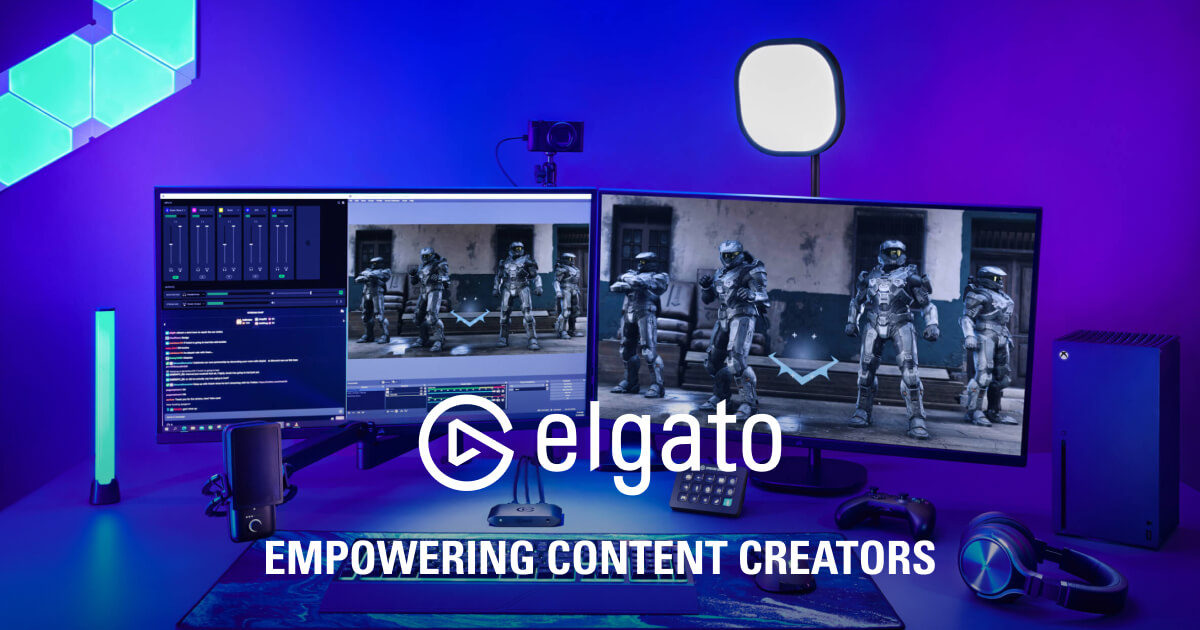
ELGATO markets Stream Deck as a controller platform rather than a single device, spanning hardware like the Stream Deck Plus XL with 36 keys and six dials, down to the compact Stream Deck Scissor Keys with 15 keys. A common error is assigning every button to a single application instead of building separate profiles for different parts of a workflow. That approach quickly turns a well-designed control panel into a cluttered mess of duplicate shortcuts.
Drag-and-drop customization on Stream Deck Scissor Keys is meant to require no technical knowledge, yet creators often skip organizing icons, labels, and faceplates, which makes the layout harder to read at a glance mid-broadcast. Icons and wallpapers can be swapped to visually separate scene switching from audio control, but only if that customization step happens deliberately rather than being left on factory defaults.
- Leaving a capture card on default resolution settings often causes mismatched output between the game and the recording software.
- Running two Wave microphones at identical gain levels can introduce unwanted crosstalk between channels.
- Positioning Key Light Air MK.2 too close or too far from a desk creates uneven exposure on camera.
- Assigning every Stream Deck button to one single application turns a flexible controller into a cluttered shortcut list.
- Ignoring Clipguard on the XLR Dock MK.2 leaves recordings exposed to clipping during loud audio moments.
- Skipping firmware and driver updates is one of the quieter creator equipment setup mistakes that causes intermittent dropouts during a live session.
Virtual Prompter and Teleprompter Setup Failures
Virtual Prompter is presented as a teleprompter solution built for a broader range of creators, not only broadcast professionals. A recurring setup mistake is mounting the prompter too far from the camera lens, which breaks the illusion of eye contact that a teleprompter is meant to create. Scroll speed is another detail that gets left on a generic default instead of being matched to the pace of the script being read.
Studio 2.0 is described as a dedicated home for Prompter within the broader ELGATO software ecosystem, and creators sometimes overlook integrating it properly with existing scene layouts. When the prompter window and the camera framing are not aligned in the same software environment, the reading experience looks disconnected on the final recording.
Why Voice Focus and Noise Suppression Settings Often Disappoint
Voice Focus is built as AI-powered noise suppression meant to keep a voice clear against background sound. A common complaint arises when microphone gain is set too high before noise suppression is applied, which forces the software to work against an already distorted signal. Adjusting input gain to a reasonable level first tends to give noise suppression a cleaner signal to process.
Many creator equipment setup mistakes share a root cause, which is treating software features as automatic fixes rather than tools that still require some manual calibration. Background hum, room echo, and inconsistent gain staging are category-wide challenges for any noise suppression tool, not flaws unique to one brand. Reviewing input levels before a session starts remains one of the simplest ways to avoid disappointment later, and that habit applies equally across ELGATO‘s wider lineup of capture, audio, and lighting gear.
Equipment alone rarely makes or breaks a stream. Thoughtful configuration, from gain staging to light placement, turns a desk full of gear into a reliable setup.